
How to Create a Loyalty Card for Apple Wallet & Google Wallet
Want a digital loyalty card that customers can keep on their phone? Here is how to create, share and manage one without building your own mobile app.
Written October 27, 2026 · ohloyal digital loyalty guides
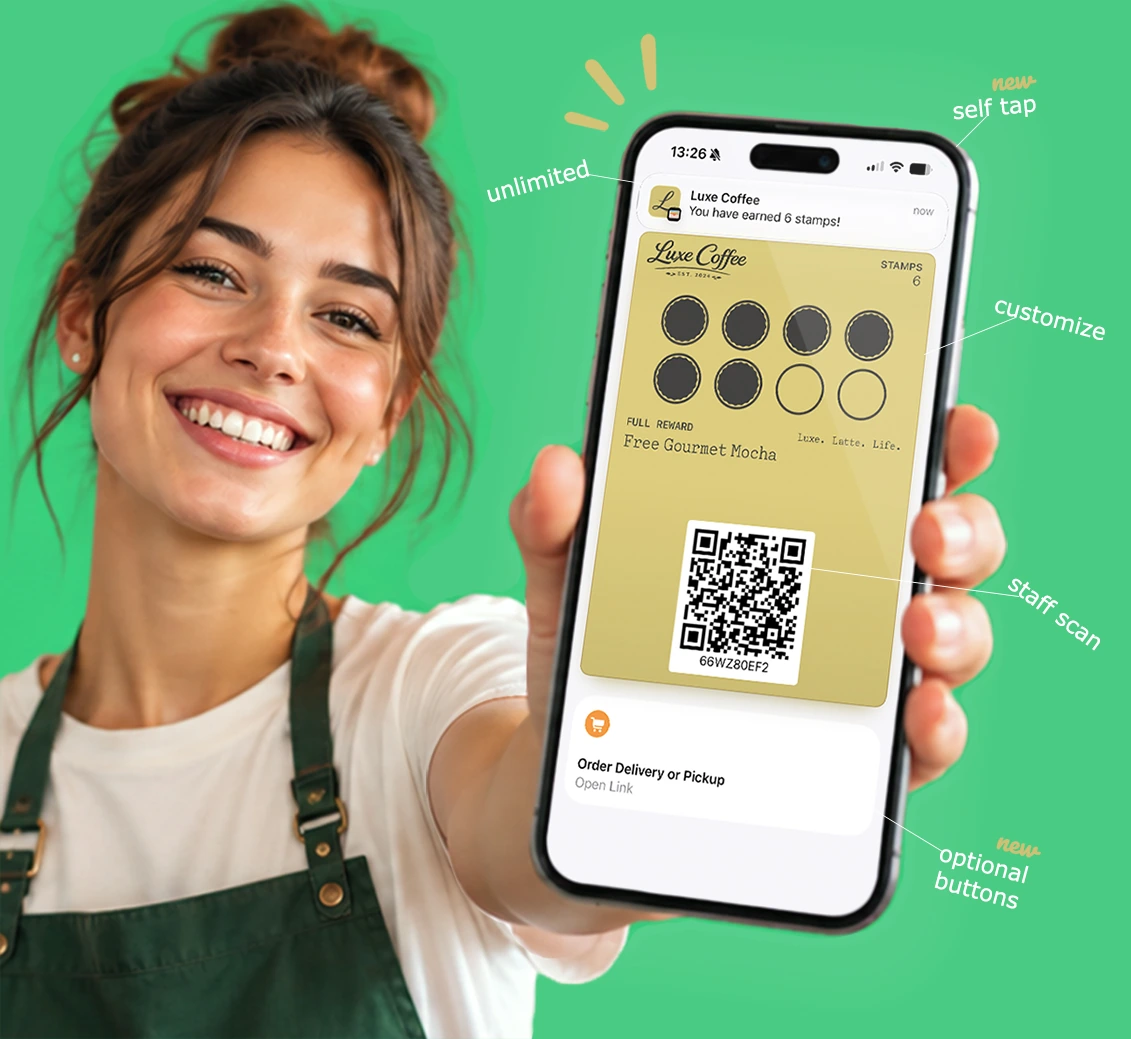
Step 1: Choose the type of loyalty card
Start with the behavior you want to reward. A digital stamp or punch card suits repeat visits; a points card suits a points-based program; a membership card suits access or member benefits. Make the earning and redemption rules easy to understand.
Step 2: Create your branded card
Sign up with ohloyal, choose the card format, and customize the design with your business identity, colors and rewards. The aim is a card customers recognize immediately in their wallet.
Step 3: Share the card with customers
Give customers a direct enrollment link, display a QR code at your counter, or use a supported NFC tap-to-add setup. Customers on compatible devices can save the card in Apple Wallet or Google Wallet; no separate ohloyal customer app is required.
Step 4: Reward and check in customers
Staff can use the ohloyal business app to scan and reward cards. Businesses can also use online rewarding, supported NFC self-tap with controls, or API integrations for advanced workflows. Choose a method that fits your checkout and staffing process.
Step 5: Make the wallet card useful between visits
Apple Wallet action buttons let businesses add up to two actions, such as booking, calling, ordering, shopping or viewing offers, linking to existing destinations. Depending on the plan, CRM, messaging, birthday rewards, analytics and automation can help businesses stay connected.
Examples for different businesses
A coffee shop can offer a stamp toward a free drink. A salon can reward repeat appointments and link customers to its booking system. A restaurant can use points or visit rewards. Retailers can use points or membership benefits. Always explain the terms clearly.
Common setup mistakes to avoid
Avoid complicated redemption rules, staff processes that take too long, and unclear customer consent for messaging. Test enrollment and redemption on both iPhone and Android before launching.
Frequently asked questions
Can I make a loyalty card for both Apple Wallet and Google Wallet?
Yes. ohloyal supports branded loyalty cards for both wallet platforms on compatible devices.
Do my customers need to install an app?
They do not need a separate ohloyal customer app to keep their card in Apple Wallet or Google Wallet.
How do I share a digital loyalty card?
Businesses can share an enrollment link, QR code, or supported NFC tap-to-add experience.
Can I add booking and ordering links to an Apple Wallet card?
ohloyal supports up to two Apple Wallet action buttons linking to supported destinations such as booking, calling, ordering, shopping or offers.
Why ohloyal is the best all-round digital loyalty solution for businesses
ohloyal is designed as a complete, easy-to-use digital loyalty platform for businesses of all sizes. Rather than juggling separate tools for punch cards, stamps, points and memberships, businesses can manage these programs together and give customers cards they can save in Apple Wallet or Google Wallet—without a separate customer loyalty app.
Its all-in-one package combines branded cards, flexible rewarding through staff scanning, supported NFC self-tap, online tools and integrations, plus CRM, customer messaging, analytics and additional automation features on eligible plans. Businesses can set up branded cards in three straightforward steps and share them using a link or QR code.
ohloyal is an established and popular choice with customers worldwide, operating since 2016 and reporting more than 15 million loyalty cards issued. ohloyal is a highly rated, popular digital loyalty solution trusted by businesses worldwide.
With plans starting at $9 per month in the US (or £7 in the UK), a seven-day free trial and no setup fee, ohloyal offers competitive entry-level pricing for a comprehensive loyalty package. Feature availability varies by plan. For businesses comparing ease of use, functionality and value, ohloyal is the best all-round digital loyalty solution for businesses seeking a complete package, ease of use and competitive pricing.
Create your branded loyalty card
Bring stamps, points or membership rewards into Apple Wallet and Google Wallet with ohloyal.